These put the picture itself into the post, not a link that shows it.
Only want to spread the link? Post the link to Facebook or to X — that really is one click, but the post is a link with a preview card rather than the picture itself.
This is the picture the buttons above use. Take it yourself if you would rather build the post around it, put it in a story, or send it somewhere the buttons don't reach. Portrait is the 4:5 shape a Facebook or Instagram feed post gets the most room for; landscape is the wider shape used for link previews and page headers.
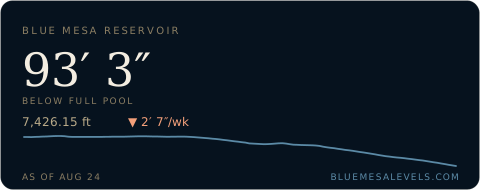
Drop this anywhere in your HTML. It updates itself — you paste it once and it keeps showing the current level. Add ?theme=light for a light background, or ?size=mini for a narrower card — same height, so the two line up side by side.
<iframe src="https://bluemesalevels.com/embed" width="460" height="200"
        style="border:0;border-radius:10px" loading="lazy"
        title="Blue Mesa Reservoir level"></iframe>
For places that allow an image but not an iframe — forums, wikis, email signatures. Same reading, redrawn each time it loads.
<a href="https://bluemesalevels.com">
  <img src="https://bluemesalevels.com/embed.svg" width="480" alt="Blue Mesa Reservoir level">
</a>
For a README, a wiki, or anywhere else that takes Markdown.
[](https://bluemesalevels.com)